
Real Shopify costs in South Africa for 2026: plans in rand, gateway fees, apps, VAT, and worked examples by turnover band. From Honey Whale.


How To Integrate SnapScan As A Payment Provider For Your Shopify Store

Published
Nov 23, 2021
Find out useful information that will describe how to install and configure SnapScan as a Payment Provider for the Shopify eCommerce platform.
What is SnapScan?
SnapScan is an app that lets you pay with your phone quickly, easily, and safely. Your SnapScan app uses your phone's camera to scan a SnapCode (a unique QR code). Stores have their own SnapCodes, and scanning these codes allows you to pay them. SnapScan is free to use and works with any South African bank, and most international credit cards.
How SnapScan works for your business
Whether you do business in a store, online, at markets or any other premises, SnapScan has the best payment solution for you. Their solutions can help add SnapScan to a variety of point-of-sale, ecommerce, and invoicing systems for simple payments.
How to Add SnapScan as a Payment Provider
Add SnapScan as a payment method
1. Log into your Shopify back office and select settings on the left-hand toolbar

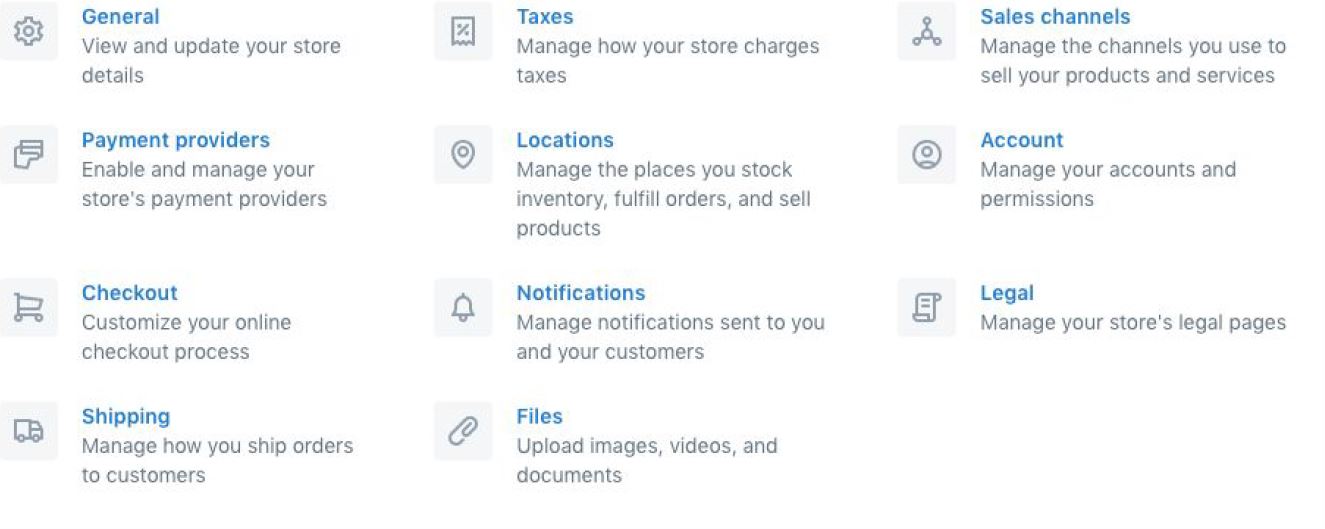
2. Select PAYMENT PROVIDERS from the list of setting options
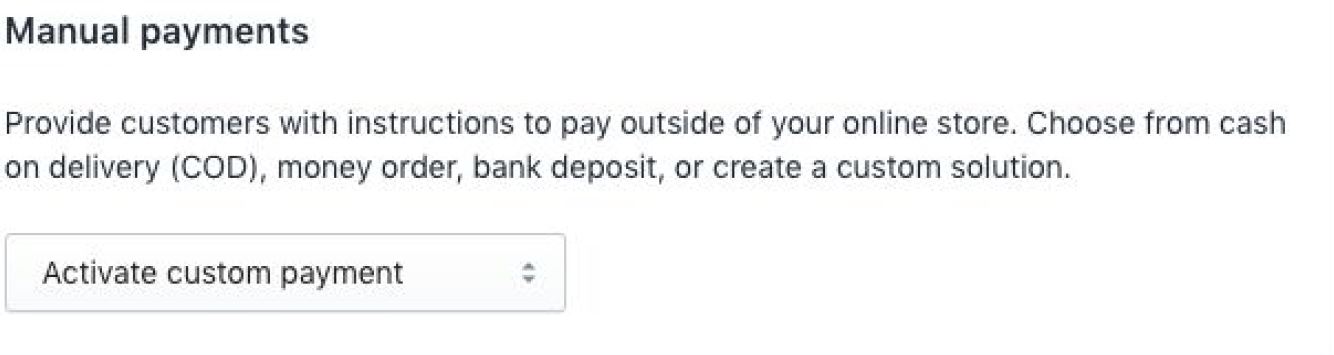
3. Scroll down to MANUAL PAYMENTS and select ACTIVATE CUSTOM PAYMENT
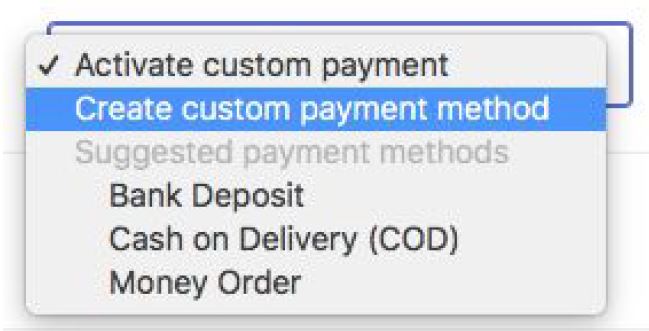
4. Select CREATE CUSTOM PAYMENT METHOD
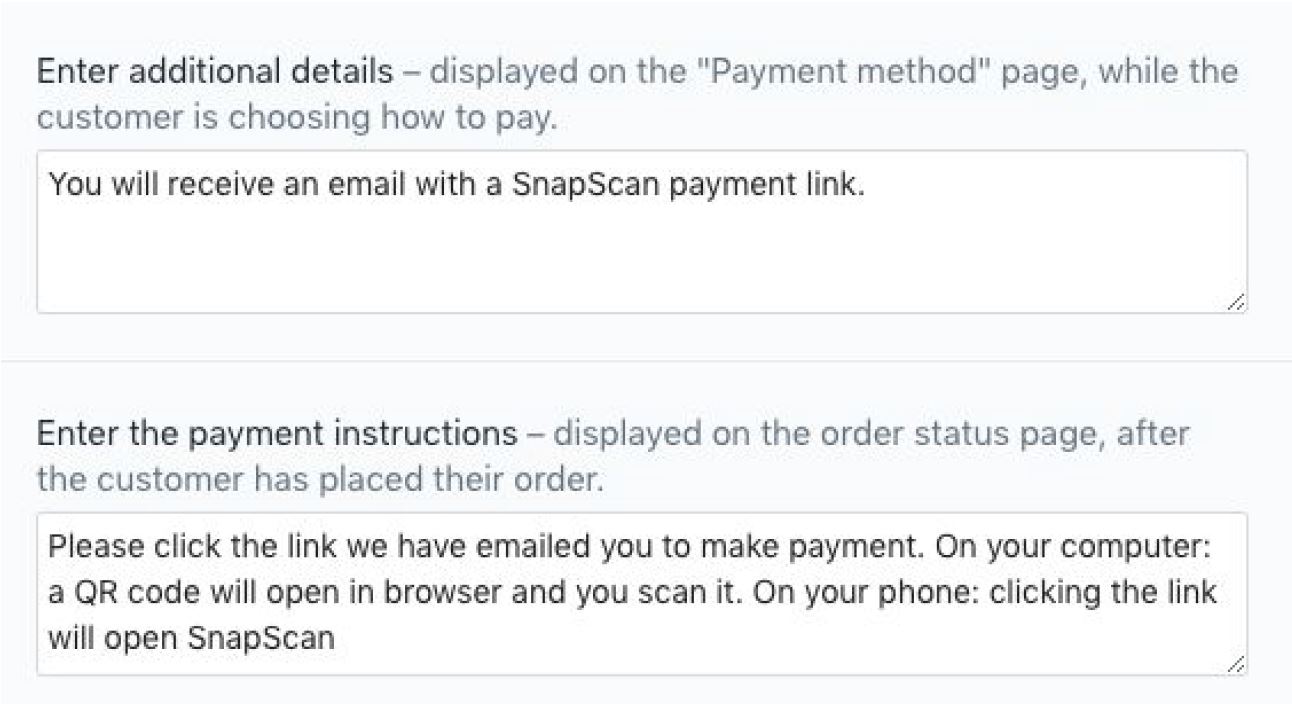
5. Enter SnapScan as the name of the custom payment method. You can add custom
details to display on both the payment page and the Thank you page:
6. Click ACTIVATE when you are happy
7. You now need to add the SnapScan HTML link to your order confirmation (if you do
not have your SnapScan HTML link please send an email to help@snapscan.co.za
for assistance). It looks like this:

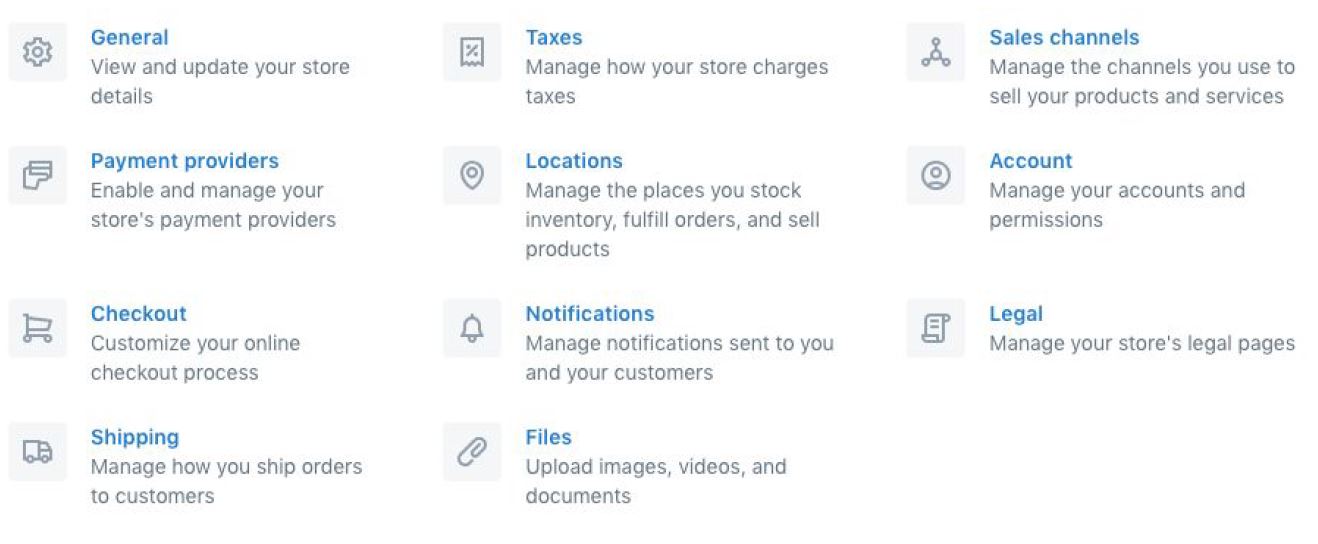
8. Go back to setting and and select NOTIFICATIONS
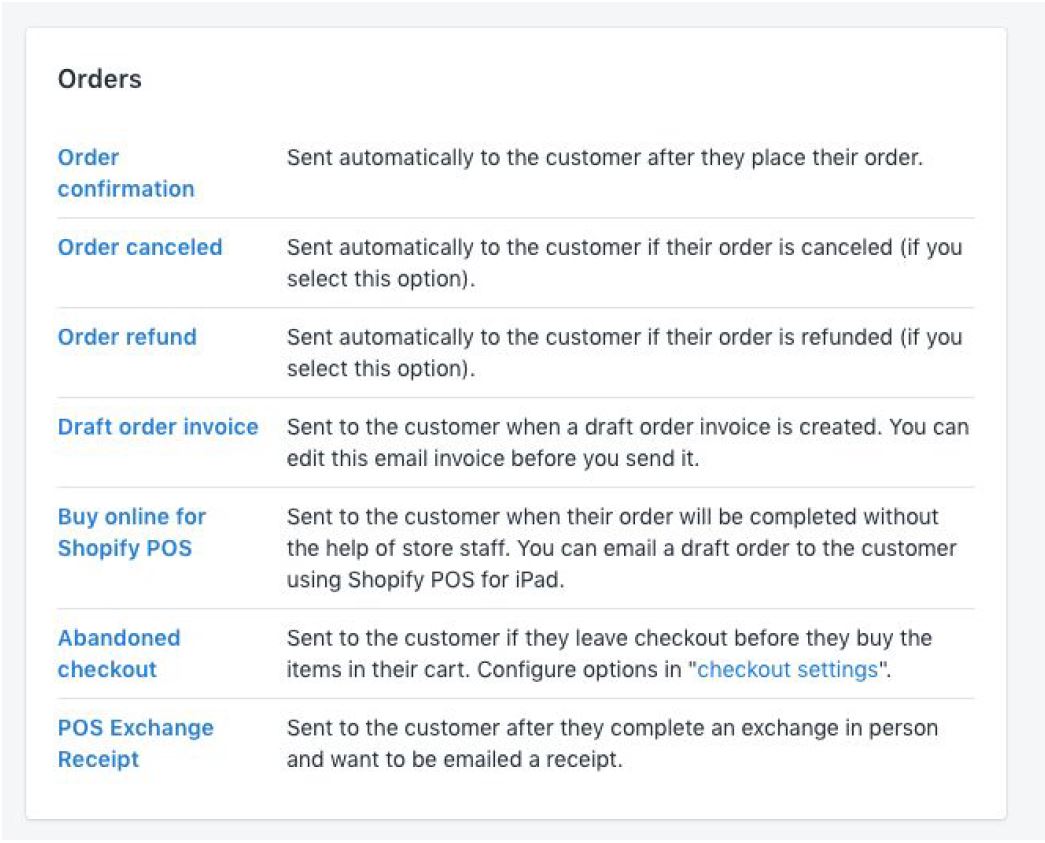
9. Select ORDER CONFIRMATION at the top of this list
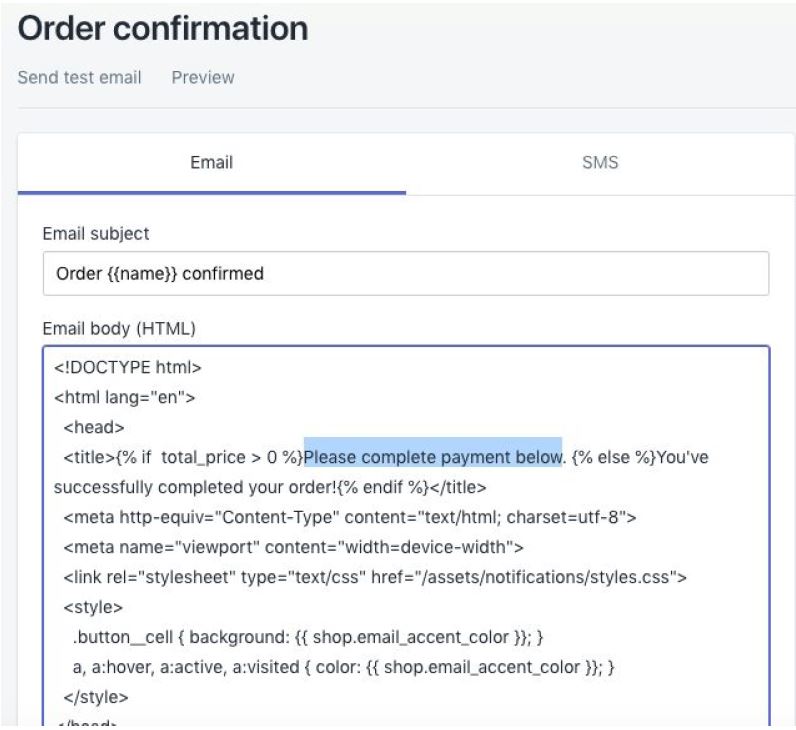
10. Now you need to paste your SnapScan HTML in the EMAIL BODY (HTML) section.
This can look very daunting. However, if you read through you will see key phrases
that will make sense.
11. You can paste your SnapScan HTML below your EFT details. Please feel free to
move it around until you are happy.
12. You can select PREVIEW at the top to view how it will look.

13. Once you are happy you can SAVE at the bottom and SEND TEST EMAIL (at the
top)


Insights, Ideas & Inspiration
Boost Your Store's Accessibility with accessiBe: An Overview
In this blog, I delve into the transformative impact of accessiBe, a cutting-edge web accessibility solution designed to enhance Shopify stores. Highlighting its AI-driven technology and adherence to WCAG 2.1 standards, I discuss how accessiBe caters to a wide range of disabilities, including blindness and motor impairments.
Read More
Read More


What Is Paystack And How Can It Benefit My Business In 2023?
Give your customers the gift of modern, frictionless, painless payments. Take a look at Paystack as a payment option today.
Read More
Read More